Find a Tutorial
 All Products
 ARRI Film Lab
 Autograph
 Color Genius
 DE:Noise
 DEFlicker
 Effections
 FieldsKit
 PV Feather
 RE:Fill
 RE:Flex
 RE:Grade
 RE:Lens
 RE:Map
 RE:Match
 REZup
REZup RSMB
RSMB Shade/Shape
 SmoothKit
 Twixtor
 Video Gogh
 Da Vinci Resolve


-
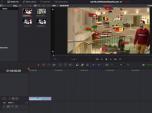
RE:Vision plugins in Resolve 1: DEFlicker
See TutorialDescription
In this tutorial, you will learn the basics of how to use the DEFlicker plugin within Resolve. You will see how to use all three tools inside of all three pages.In this tutorial, you will learn the basics of how to use the DEFlicker plugin within Resolve. You will see how to use all three tools inside of all three pages.
This Tutorial Includes
- Video
-
M1 and Rosetta 2
See TutorialDescription
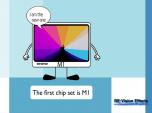
This is a Sales support tutorial explaining M1 and Rosetta 2.*Note: There is a small typo at 00:20. It is x86-64 not x64-86Author: Lori FreitagCompany: RE:Vision EffectsThis is a Sales support tutorial explaining M1 and Rosetta 2.
*Note: There is a small typo at 00:20. It is x86-64 not x64-86This Tutorial Includes
- Video
-
Managing your account - Moving a key-based license
See TutorialDescription
In this tutorial we will see how to deactivate a license directly from your machine and also how to manage a license remotely via your account.Note: (This tutorial is for you, if your license format is: XXXX-XXXX-XXXX-XXXX-XXXX-XXXX-XXXX Issued from Dec 2018 and later).
This Tutorial Includes
- Video