
Find a Tutorial
 All Products
 ARRI Film Lab
 Autograph
 Color Genius
 DE:Noise
 DEFlicker
 Effections
 FieldsKit
 PV Feather
 RE:Fill
 RE:Flex
 RE:Grade
 RE:Lens
 RE:Map
 RE:Match
 REZup
REZup RSMB
RSMB Shade/Shape
 SmoothKit
 Twixtor
 Video Gogh
 Silhouette


- Page:
- 1
-
Shooting Log - ARRI Film Lab and other cameras
See TutorialDescription
Collaboration tutorial with Darran H. Thompson (aka footslogger) reviewing the receipe for getting the look that he likes with ARRI Film Lab and EmotiveColor's 3DLUTs and the 2499 DRT Process.Links and references mentioned in this tutorial:https://www.youtube.com/@footslogger_nihttps://shop.panasonic.com/products/lumix-upgrade-software-key-dmw-sfu3ahttps://www.emotivecolor.com/https://blog.frame.io/2024/06/10/arri-reveal-color-science-explained/https://www.arri.com/en/learn-help/learn-help-camera-system/image-science/color-faqCollaboration tutorial with Darran H. Thompson (aka footslogger) reviewing the receipe for getting the look that he likes with ARRI Film Lab and EmotiveColor's 3DLUTs and the 2499 DRT Process.
Links and references mentioned in this tutorial:
https://www.youtube.com/@footslogger_ni
https://shop.panasonic.com/products/lumix-upgrade-software-key-dmw-sfu3a
https://www.emotivecolor.com/
https://blog.frame.io/2024/06/10/arri-reveal-color-science-explained/
https://www.arri.com/en/learn-help/learn-help-camera-system/image-science/color-faqThis Tutorial Includes
- Video
-
How to use Color Genius plug-in version
See TutorialDescription
In this tutorial we will see how to use Color Genius plug-in version. This was created in Resolve but can be applied to any other host application.
This Tutorial Includes
- Video
-
REZup Overview - Resize & Enhance Product: REZup
See TutorialDescription
Timestamps:0:14 What is REZup?0:52 REZup Resize Workflow in After Effects.1:07 Example #1 - Scaling HD to UHD using REZup Resize.5:07 Example #2 - OFX Workflow using Autograph.6:56 Example #3 - REZup Enhance in After Effects.Description:In this tutorial, we will see two of our plugins, REZup Resize and Enhance. We see workflow examples in After Effects and in an OFX host, Autograph.REZup Enhance will increase your image quality. See new details that you did not know were available. REZup Resize will allow you to upscale your video without loss of quality.*To see Before/After results in detail please check the gallery https://revisionfx.com/gallery/#rezupTimestamps:
0:14 What is REZup?
0:52 REZup Resize Workflow in After Effects.
1:07 Example #1 - Scaling HD to UHD using REZup Resize.
5:07 Example #2 - OFX Workflow using Autograph.
6:56 Example #3 - REZup Enhance in After Effects.
Description:In this tutorial, we will see two of our plugins, REZup Resize and Enhance. We see workflow examples in After Effects and in an OFX host, Autograph.REZup Enhance will increase your image quality. See new details that you did not know were available. REZup Resize will allow you to upscale your video without loss of quality.
*To see Before/After results in detail please check the gallery https://revisionfx.com/gallery/#rezupThis Tutorial Includes
- Video
-
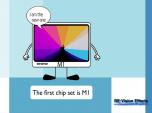
M1 and Rosetta 2
See TutorialDescription
This is a Sales support tutorial explaining M1 and Rosetta 2.*Note: There is a small typo at 00:20. It is x86-64 not x64-86Author: Lori FreitagCompany: RE:Vision EffectsThis is a Sales support tutorial explaining M1 and Rosetta 2.
*Note: There is a small typo at 00:20. It is x86-64 not x64-86This Tutorial Includes
- Video
-
Managing your account - Moving a key-based license
See TutorialDescription
In this tutorial we will see how to deactivate a license directly from your machine and also how to manage a license remotely via your account.Note: (This tutorial is for you, if your license format is: XXXX-XXXX-XXXX-XXXX-XXXX-XXXX-XXXX Issued from Dec 2018 and later).
This Tutorial Includes
- Video



- Page:
- 1