
Find a Tutorial
 RE:Lens
 All Products
 ARRI Film Lab
 Autograph
 Color Genius
 DE:Noise
 DEFlicker
 Effections
 FieldsKit
 PV Feather
 RE:Fill
 RE:Flex
 RE:Grade
 RE:Map
 RE:Match
 REZup
REZup RSMB
RSMB Shade/Shape
 SmoothKit
 Twixtor
 Video Gogh
 Da Vinci Resolve


- Page:
- 1
-
Our Plugins in Resolve
See albumDescription
Tutorials for our plugins in Da Vinci Resolve
Tutorials
- RE:Vision plugins in Resolve 1: DEFlicker »
- Using Twixtor in Resolve Fusion »
- Resolve Tutorial 3 - Handling Multiple Clips »
- RE:Flex Morph in Resolve »
- RE: Vision plugins in Resolve - Workarounds »
- Resolve - Handling Clips with different Input and Output size »
- RE:Vision plugins in Resolve 2: Twixtor »
This Album Includes
- Videos

-
RE:Lens and Fisheye 2025
See TutorialDescription
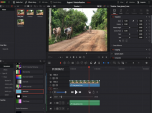
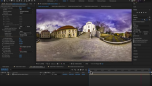
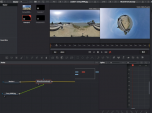
Title: RE:Lens in Fisheye 2025Product: RE:LensHost used for tutorial: AE,PP,ResolveDescription:Shoot with super-wide fisheye lenses and animate orientation, stabilize and zoom (focal length) using RE:Lens Superfish with very high res video.Great for narrow places, non-scripted, non-predictable shoots and extra POV wide-angle cameras, PTZ in post.*Resolve tends to change a lot, version used: v.20.2.3Cameras used:Ex. 1 - Canon c500 with the HAL 220 lensEx. 2 - Panasonic GH5 + Entaniya 250° lensEx. 3 - RED Monstro camera with a HAL 200 6.0mmEx. 4 - Sony Mirrorless camera with HAL 200Put the cameras used in description at what resolution to help get more repostsand #tag them too#lumix #red #sony #canon #entaniyaShoot with super-wide fisheye lenses and animate orientation, stabilize and zoom (focal length) using RE:Lens Superfish with very high res video.Great for narrow places, non-scripted, non-predictable shoots and extra POV wide-angle cameras, PTZ in post. *Resolve tends to change a lot, version used: v.20.2.3
Cameras used:Ex. 1 - Canon c500 with the HAL 220 lensEx. 2 - Panasonic GH5 + Entaniya 250° lensEx. 3 - RED Monstro camera with a HAL 200 6.0mmEx. 4 - Sony Mirrorless camera with HAL 200
This Tutorial Includes
- Video
-
RE: Vision plugins in Resolve - Workarounds
See TutorialDescription
In this tutorial, we will see two new workarounds for using our OFX plug-ins with Resolve/Fusion. One of our workarounds is not working anymore in Fusion, so we will start with what “not to do”, and then show you the workarounds that do currently work.In this tutorial, we will see two new workarounds for using our OFX plug-ins with Resolve/Fusion. One of our workarounds is not working anymore in Fusion, so we will start with what “not to do”, and then show you the workarounds that do currently work.
This Tutorial Includes
- Video
-
How to make a perfect stabilization VR 360 Hyperlapse video
See TutorialDescription
Andrii Shramko demos a useful feature in RE:Lens spherical stabilizer allowing you to handle real hard shots by masking areas of the source. You can also use this feature on fisheye stabilization where there is moving junk (light flares and leaks) outside of the image circle that affects the tracking, as well as in stitched videos where a camera is moving indepedently from the rest of the rig (which confuses any tracker).
https://www.facebook.com/shramko360/This Tutorial Includes
- Video
-
Resolve - Handling Clips with different Input and Output size
See TutorialDescription
In this tutorial we will see two examples of how to input footage at one size and output at another size in Resolve with the RE:Vision Effects RE:Lens plugin.
This Tutorial Includes
- Video
-
M1 and Rosetta 2
See TutorialDescription
This is a Sales support tutorial explaining M1 and Rosetta 2.*Note: There is a small typo at 00:20. It is x86-64 not x64-86Author: Lori FreitagCompany: RE:Vision EffectsThis is a Sales support tutorial explaining M1 and Rosetta 2.
*Note: There is a small typo at 00:20. It is x86-64 not x64-86This Tutorial Includes
- Video
-
Managing your account - Moving a key-based license
See TutorialDescription
In this tutorial we will see how to deactivate a license directly from your machine and also how to manage a license remotely via your account.Note: (This tutorial is for you, if your license format is: XXXX-XXXX-XXXX-XXXX-XXXX-XXXX-XXXX Issued from Dec 2018 and later).
This Tutorial Includes
- Video


- Page:
- 1